The importance of alt text on your website
Images play a central role in the web experience, but what is often forgotten is everything that happens behind these visuals. Alt text, on the other hand, works behind the scenes to make your content accessible, readable, and better referenced. Here's how to take full advantage of it.
FIRST THINGS FIRST... WHAT IS ALT TEXT?
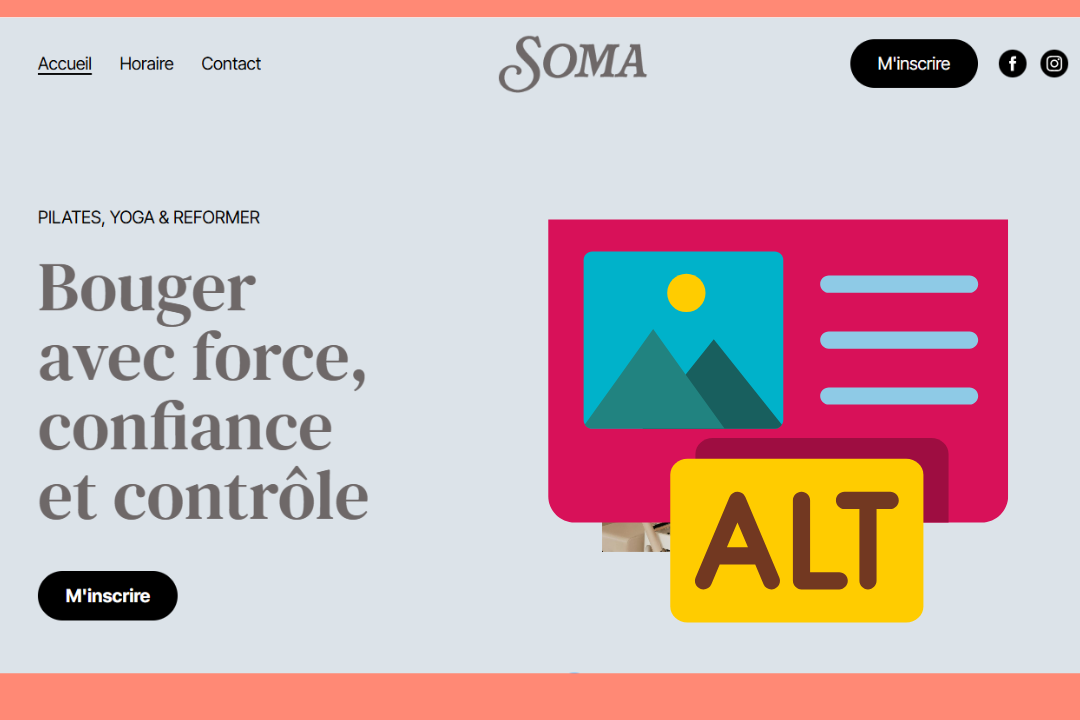
Imagine this, you arrive at a website, and the loading time is long. So long that after several seconds the textual content appears, but not the images. Instead, you see a blank box, and you have no idea what should be in it. This leaves you without essential information, which can quickly make navigation confusing or make the site look unkept.
Alt text is a solution to this problem. This metadata describes what is in the image and becomes visible when the visual does not appear. Originally, alt text was created to improve the accessibility of digital content for people with visual impairments. However, over the years it has become an essential tool for the optimization of natural referencing (SEO) of web pages.
And the good news is, it's not only useful on websites! Alt texts are just as important in other online content, such as newsletters, where they support accessibility and quality user experience.
WHY ALT TEXT IS CRUCIAL FOR YOUR WEBSITE
Let's start with its original usefulness. Alt text allows people using screen readers to have access to as much of your content as other visitors. They are not missing any important information because you have included it in the alt text. By adopting this practice, you also show your audience that accessibility is part of your values, which builds trust and a positive perception of your company.
Even though most visitors on your site won't be aware that it is there, alt text plays several important roles. In addition to displaying on the screen when an image doesn't load, it allows screen readers to verbally convey visual content. It also helps search engines like Google understand what the image represents, which improves the overall understanding of your pages. This improves the overall SEO of your site, and your visuals can even appear in image search results. This is another way to attract visitors to your platform and increase your visibility.
How to write a useful alternative text
What makes alt text great and relevant? Describing your images requires some knowledge of accessibility. However, once you have gained this knowledge, you too can optimize your site with clear and effective alternative text.
First, there is a maximum amount of characters for alternative text. Try to write descriptions of about 125 characters so that they can be read in full by screen readers and displayed in full when the image is not loading.
Also, avoid starting your description with "photo of" or "image of." Screen readers already announce that it's a visual. So, if an image does appear, the user will automatically see an icon that indicates the visual's presence. There is therefore no need to repeat the information. Keep this space to convey details that are important for understanding.
Alt text is also a great place to include keywords. However, be careful that the wording remains natural. Remember that this metadata is intended to clarify your content, not just to better position your site in search engines!
As well, make sure you write the alt text in the correct language. If your site is in French, your descriptions should be in French too. For a multilingual site, each version should have its own alternative text, adapted to the interface language.
And, there is good news. Not all images require a description! Alt text tags for purely decorative images, which don't add any information, can be left blank. The same advice applies to images that have content already present in the text nearby or those that have a caption detailing them.
So, what does good alternative text look like?
The following alternative text is a clear and realistic example that applies the above tips well. The image is of a coworking space and shows a smiling woman working on a laptop in a bright room of a company, with other people in the background.
Weak alt text: "Woman sitting at a desk." This description is too vague and does not give the context to the user.
Strong alternative text: "Woman working on a laptop in a bright coworking space." With this formulation, the user gets a good mental image of the appearance of the company's space.
HOW TO EDIT THE ALT TEXT OF YOUR IMAGES OR VIDEOS ON WEBSELF
Changing the alt text of your WebSelf website images/videos is done in just four clicks:
Select the image or the video of your choice.
Select the "Edit" option.
Write the alternative text in the "Alt Text" field.
Select the "Save" button.
Simple, right? In just a few minutes, you can give a real boost to your site's natural referencing, in addition to helping improve the user experience of your visitors.
Alt text is a small technical detail that can improve the quality and performance of your web content. Well written, it improves your accessibility, strengthens your SEO, and provides a more inclusive experience for your visitors. By integrating these best practices now, you are laying the foundations for a more professional, more visible site that is better adapted to everyone's needs.
Key points to remember about the alt text
Describe the image clearly in less than 125 characters.
Avoid unnecessary wording like "photo of" or "image of."
Write your alternative text in the same language as your website.
Don't add alt text to purely decorative images.
Incorporate keywords into your descriptions, but always in a natural way.

Roxane has always written and dreamed of making a living from her pen. Now a web editor, proofreader and author, we can say that it's mission accomplished!