6 Tips to Optimize Your Checkout Page
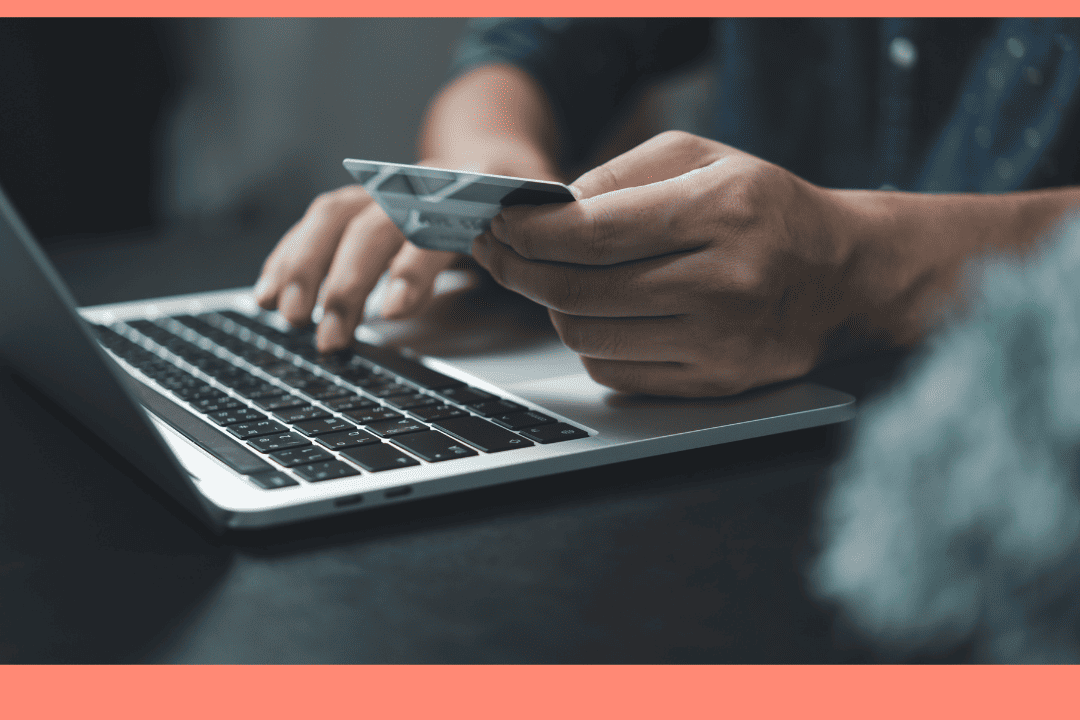
The checkout page is the final step before a purchase, the one that makes all your efforts a reality. No matter how much you invest in your marketing, promotional campaigns, and website, a poorly designed checkout page can drive away many potential buyers. So, this is a very important step for any business with an online store.
But how do you make sure that this page is well built? We have six tips to help you optimize it and maximize your chances of closing a sale.
WHY IS IT CRUCIAL TO OPTIMIZE YOUR CHECKOUT PAGE?
Did you know that 70% of consumers abandon their shopping carts when shopping online? A well-designed checkout page is key to reducing this abandonment rate. While some simply like to explore products with no intention of purchase, others abandon their shopping cart because of too many friction points. The tips in this article aim to reduce these obstacles in order to offer a smooth, fast and reassuring buying process.
In addition to improving the user experience, optimizing the checkout page helps to enhance the security of the site. A well-structured system can better detect suspicious transactions and protect sensitive customer data.
HOW TO OPTIMIZE YOUR CHECKOUT PAGE
1. Make sure everything works perfectly on a mobile device
Nothing new here, more and more online shoppers are using their phones to shop. By 2028, 63% of e-commerce purchases will take place from a smartphone. It goes without saying that it is essential that the checkout page adapts well to small screens. By the way, this principle doesn't just apply to this page. Your entire site should be responsive.
To make shopping easier for mobile users, make sure your menus are clear, fields fill out easily, and content displays correctly. One-way option to simplify the experience is to enable the one-click payment option. This type of solution can significantly speed up the buying process and reduce the risk of abandonment.
2. Offer varied and flexible payment options
Credit cards, Stripe, PayPal, Apple Pay, Google Pay... Today, there are so many different ways to pay online, and each person has their favorite. But it's not just a matter of taste. Some users simply don't have access to all payment options, due to their financial situation or geographical location. For example, a credit card may not be accessible to everyone, and some platforms are not supported in all countries.
Depending on the amount of your products or services, it can also be a good idea to offer the option of paying in installments, or buying now and paying later. This kind of flexibility can be a deciding factor when it comes to checkingout.
At WebSelf, we know how important this option is. That's why online stores created with our builder can offer several payment options to their customers.
3. Be clear, simple, and transparent
Your checkout page is not the place to add unnecessary animations or long paragraphs. Opt for a simple and uncluttered layout, which sums up the essentials of the basket: a photo of the item, its name and price are enough in most cases.
You also need to get straight to the point to clearly guide the user to the next steps. A highly visible call-to-action button, with clear wording, will help build trust.
Avoid hidden or unexpected charges. The amount of the shipping costs and any additional costs should have been displayed before this step. Learning at the very end that the order is costing more than expected is a common reason for cart abandonment.
4. Reduce the number of fields your customer needs to fill out – let auto-fill do the work!
What do you really need to know in order to close the deal? Only ask for essential information and forget about the rest. The more steps you add, the more likely you are that the user will leave your site or question their purchase. Every unecessary field can slow down the purchase decision.
To encourage the user to go all the way, consider including a progress bar that clearly shows them where they are and how many steps are left. This small visual component can have a big impact on their motivation.
Depending on the platform you choose to create your site, you may want to add an extension that automatically populates the mailing address fields. This option is popular with consumers because it makes the transaction faster, and businesses also find it convenient. This greatly reduces the number of errors related to delivery information.
5. Reassure your customers with visible security
Completing a transaction online can be a concern for many people, especially when they are not familiar with your business. So, it is essential to reassure them about the security of your site. Make sure you have an active SSL certificate and an HTTPS address. Then, clearly display the logos that show the payment is secure.
Some customers may also wonder how easy it will be to return the items they ordered. For example, if you sell clothes, a hindrance from your customers is the possibility of getting a refund if the item is not their size. Embedding a link to your return policy directly on the checkout page answers these questions and builds trust.
Also remember that trust is built throughout the customer journey. Displaying testimonials or reviews on your homepage and product listings will also help reassure potential buyers.
6. Avoid unnecessary barriers to purchase
The more steps there are before finalizing the transaction, the more difficult the process will seem to the consumer. Each additional click or form can make it seem like the effort required is too great, which is sometimes enough to abandon the cart.
If companies offer visitors to create an account, this step should never be mandatory. Offering the option to buy in guest mode increases the chances of conversion, as it allows consumers to make a purchase, without additional commitment or creating a password.
Good customer service can also help you close more sales. Some people are not as comfortable with technology, or your site may have a one-time technical issue. Clearly indicate the best way to reach you (by phone or email) so that customers can get help quickly. This personalized follow-up can make all the difference.
By optimizing your checkout page, you put all the odds on your side to close more sales. Every detail counts to provide an optimal shopping experience. Ready to get started? Easily create your online store with WebSelf and offer your customers a frictionless transaction.

Roxane has always written and dreamed of making a living from her pen. Now a web editor, proofreader and author, we can say that it's mission accomplished!